
True safety isn’t in the device; it’s in the system. The shocking 40% failure rate of fall alarms stems from focusing on the gadget instead of the hidden weak links in the overall safety chain.
- Device accuracy is a myth without total user compliance, which is undermined by discomfort, stigma, and impractical battery management.
- A holistic « ambient safety net » using smart home technology is often more effective and vastly cheaper than a care home, as it proactively manages the 7 core systems required for independent living.
Recommendation: Before buying any new technology, conduct a full audit of your loved one’s situation using the 7-system reliability framework outlined in this guide.
The moment you purchase a fall alarm for a parent, a wave of relief washes over you. You’ve done the responsible thing, investing in a piece of technology that promises 24/7 peace of mind. But what if that peace of mind is built on a fragile foundation? The stark reality is that a significant portion of these devices fail when they are needed most. The issue isn’t just about false alarms; it’s about the catastrophic failures to detect genuine, life-threatening falls.
The common advice is to « get a pendant » or « make sure it’s waterproof. » These are platitudes that barely scratch the surface of the problem. As a telecare technology consultant accredited by the Telecare Services Association (TSA), I’ve seen firsthand how families are let down by a focus on marketing features rather than real-world reliability. The critical flaw isn’t usually in the device itself, but in the chain of events and human factors surrounding it—what I call the « Reliability Chain. »
The truth is, a fall alarm is not a single product but a complex system with multiple potential points of failure. These range from the cold physics of accelerometer sensors to the warm, human realities of charging habits, personal comfort, and the integrity of the response that follows an alert. If we continue to believe that simply buying the « best » device is the solution, we are ignoring the real reasons for that 40% failure rate.
This guide moves beyond simplistic product reviews. We will conduct a professional-grade audit of the entire senior safety ecosystem. By dissecting each point of failure, we will transform you from a worried consumer into an informed system manager, capable of building a safety net that is not just technologically advanced, but genuinely reliable.
Contents: Why Fall Alarms Fail and How to Build a Reliable System
- Why Does Your Fall Bracelet Trigger When You Sit Down but Miss When You Actually Fall?
- How to Link Your Fall Alarm to a 24/7 Monitoring Centre Without Paying £50 a Month?
- Pendant vs Wristband vs Apple Watch: Which Fall Detector Do Seniors Actually Wear Consistently?
- The Dead Battery Gap That Leaves 1 in 4 Fall Alarm Users Unprotected Every Week
- When Should You Start Wearing a Fall Detector to Prevent the First Unwitnessed Fall?
- What Can Smart Home Technology Do for Seniors Beyond Fall Alarms and Pendant Buttons?
- What Are the 7 Systems You Must Coordinate to Keep Someone Home Instead of in a Care Home?
- Why Does a Smart Home System Reduce Care Home Admissions by 30%?
Why Does Your Fall Bracelet Trigger When You Sit Down but Miss When You Actually Fall?
The core of any fall detection device is an accelerometer, a tiny sensor that measures changes in velocity and orientation. In a perfect world, it flawlessly distinguishes between dropping a remote control and a person falling. However, the reality is far more complex. The primary point of failure lies in the physics of the fall itself. Most automatic detectors are calibrated to recognise a « hard fall »—a sudden, high-impact event. This is why a device might trigger a false alarm when you drop into an armchair (a rapid deceleration) but completely miss a « slow slump » where a person slides down a wall or loses consciousness from a seated position.
This distinction is critical. While some research published in the Journal of Medical Internet Research reveals laboratory accuracy rates ranging from 73% to 98% for specific fall types, these numbers don’t always translate to the messy reality of daily life. The sensors are essentially making a calculated guess based on impact force and a sudden change to a horizontal position. A slow, gentle descent to the floor often lacks the « shock » signature the algorithm is programmed to detect, creating a dangerous gap in protection.
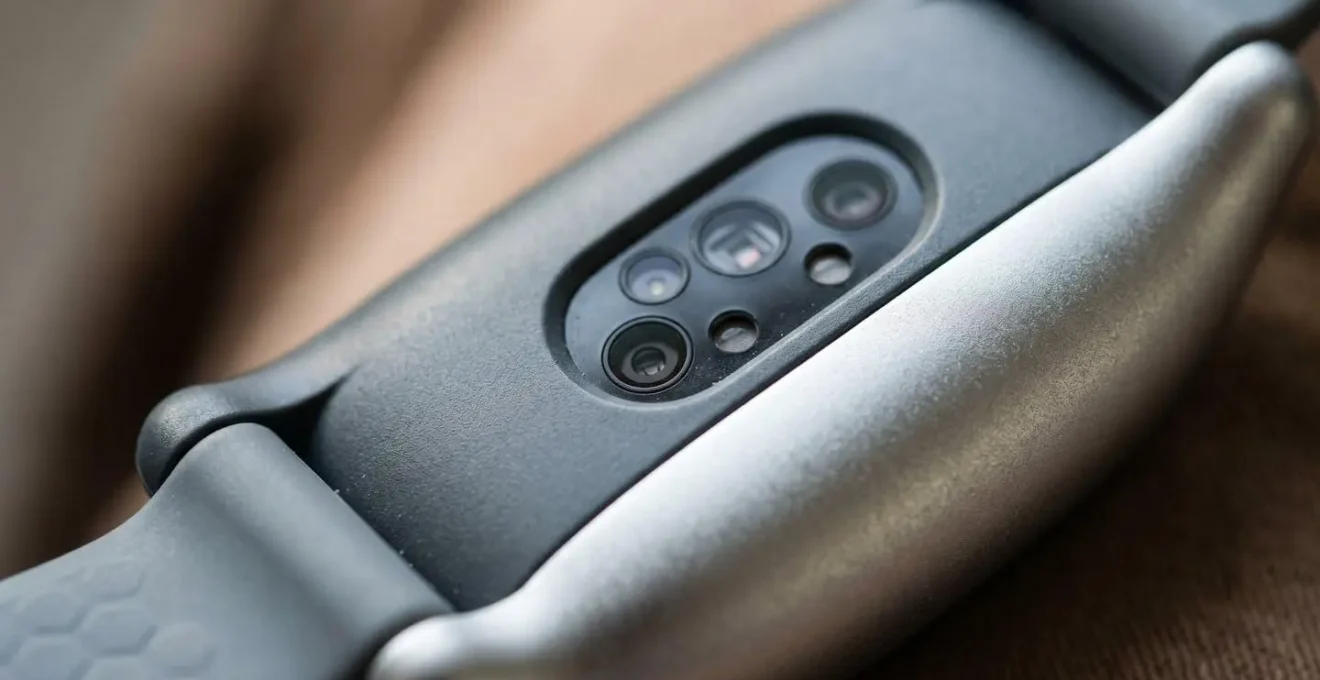
As this visualisation suggests, the technology is excellent at detecting abrupt, sharp movements. However, this focus on « hard falls » is a significant compromise. Many falls experienced by seniors, particularly those related to fainting, dizziness, or gradual loss of strength, do not fit this profile. Understanding this sensor limitation is the first step in building a reliable safety system. It means acknowledging that « automatic » detection is a helpful feature, but it can never be a substitute for the ability to manually press a button when possible.
How to Link Your Fall Alarm to a 24/7 Monitoring Centre Without Paying £50 a Month?
Once a fall is detected, the next link in the Reliability Chain is the response. The most common solution is a professional 24/7 monitoring centre, often bundled with the device for a hefty monthly subscription. While these services provide a valuable layer of security, the costs can be prohibitive for many, often exceeding £40-£50 per month. This cost barrier can be a significant point of failure, leading families to opt for less reliable « dialler » devices that simply call a list of family members who may be unavailable, asleep, or have their phones on silent.
However, there is a growing middle ground between expensive subscriptions and unreliable family diallers. For a more tech-savvy family, it is possible to construct a robust, multi-layered notification system for a fraction of the cost. While independent reviews of US medical alert systems suggest basic professional monitoring can be found for the equivalent of £8-£12 per month, creating a self-monitored system offers greater control. Services like IFTTT (If This Then That) allow you to create a sophisticated cascade of alerts that go directly to chosen responders. This approach requires initial setup but provides a powerful, customised alternative.
The goal is to ensure response integrity. Whether you choose a professional service or a DIY solution, the system must guarantee that an alert is seen and acted upon quickly. A DIY system using webhooks and custom applets can be configured to mimic professional escalation procedures: an initial SMS, a follow-up automated phone call if no response, and finally, a group message to a wider circle of caregivers. This ensures redundancy and dramatically increases the likelihood of a swift response without the long-term financial burden. However, it places the responsibility squarely on the family to manage and maintain the system.
Your Action Plan: Setting Up a DIY Monitoring System
- Create an IFTTT Account: The first step is to connect the Webhooks service to get your unique key for device authentication.
- Configure the Device Trigger: Set up your fall detection device to trigger the IFTTT webhook whenever a fall event is registered.
- First-Tier Alert (SMS): Create an applet that immediately sends an SMS to the primary caregiver’s phone upon the webhook trigger.
- Second-Tier Escalation (Call): Add a second applet with a built-in delay (e.g., 2 minutes) that initiates a phone call to the caregiver if the first alert is not acknowledged.
- Final-Tier Broadcast (Group SMS): As a final fail-safe, set up a third applet to send a group SMS to all designated family members and neighbours, ensuring the alert is never missed.
Pendant vs Wristband vs Apple Watch: Which Fall Detector Do Seniors Actually Wear Consistently?
The most technologically advanced fall detector is utterly useless if it’s left on a bedside table. This brings us to the most human point of failure: user compliance and wearability. The industry offers three main form factors—pendant, wristband, and consumer smartwatch—each with significant trade-offs that go far beyond their technical specifications. The critical question isn’t « which is most accurate? » but « which will my parent actually wear 24/7? ».
From a purely technical standpoint, research has found that pendant-style devices, worn around the neck and resting near the body’s centre of mass, tend to offer higher detection accuracy. They have a more stable reference point for detecting whole-body movements. However, they are also the most conspicuous, often carrying a stigma of being a « medical device » that many independent-minded seniors actively resist. This « user-system friction » is a major reason for low compliance.
Wrist-worn devices and smartwatches like the Apple Watch offer greater discretion and are more socially acceptable, increasing the likelihood of consistent wear. However, their position on the arm makes them more susceptible to false alarms from rapid hand gestures and potentially less reliable for detecting falls where arm movement is minimal. The choice between these options is a delicate balance of technical performance against human psychology.
| Feature | Pendant | Wristband/Bracelet | Apple Watch |
|---|---|---|---|
| Detection Accuracy | Highest (near body center of mass) | Moderate (prone to arm movement interference) | Moderate (detects hard falls only) |
| Wearing Compliance | Low (stigma, visible medical device) | Moderate (more discreet, comfort issues) | High (stylish consumer tech) |
| Dexterity Required | Low (simple clasp) | Moderate (small clasp for arthritic hands) | Moderate (band adjustment) |
| Water Resistance | Yes (most models) | Yes (most models) | Yes (Series 4+) |
| Battery Life | Up to 2 years (replaceable) | 3-10 days rechargeable | 18-24 hours rechargeable |
| Typical User Profile | High fall risk, less stigma-sensitive | Active, habitual watch wearers | Tech-comfortable, wants multi-function device |
Ultimately, the best device is a compromise. It may mean sacrificing the « highest accuracy » of a pendant for the « highest compliance » of a smartwatch. A frank conversation with the user about their comfort, style preferences, and daily routine is more important than any spec sheet. A device that is worn 80% of the time is infinitely better than a « more accurate » one that is worn 0% of the time.
The Dead Battery Gap That Leaves 1 in 4 Fall Alarm Users Unprotected Every Week
After sensor limitations and user compliance, the next catastrophic point of failure is brutally simple: power. A dead battery turns a £300 piece of advanced safety technology into a useless piece of plastic. While some pendant models boast multi-year, non-rechargeable batteries, the trend towards smaller, feature-rich wristbands and smartwatches has introduced a significant vulnerability. According to battery performance testing shows a vast range from a mere 6-8 hours for some feature-heavy devices to a more manageable 10 days for others. This creates a « dead battery gap »—the period where a device is on its charger, or forgotten to be charged, leaving the user completely unprotected.
For many seniors, especially those with mild cognitive impairment or simply a lifetime of not having to charge a watch every night, establishing a new charging routine is a major hurdle. It’s not a matter of laziness; it’s a significant behavioural change that is easy to forget. This is why power management must be treated as a critical system component to be designed and managed, not just an afterthought. Relying on the user to simply « remember » is a flawed strategy.
The solution is to integrate the charging process into existing, deeply ingrained daily habits. This technique, known as « habit stacking, » links the new behaviour (charging the device) to an old, automatic one (like taking morning medication). By physically placing the charger in the path of an existing routine, you remove the need for memory and willpower, making the action automatic. For users where this is still a challenge, enabling low-battery alerts that notify a caregiver’s phone provides a crucial external backup before the device fails.
Habit Stacking Charging Strategies:
- The Medication Link: Place the charging cable and dock directly next to the morning and evening medication boxes. The device gets charged as part of the pill routine.
- The Bedtime Ritual: Position the charger on the nightstand. Make plugging in the device the absolute last thing done before turning off the light, just like setting an alarm clock.
- The Digital Nudge: Use a smartphone or smart home display to create recurring daily calendar reminders that coincide with key moments like « after breakfast » or « before the evening news. »
- The Caregiver Alert: Ensure the device’s low-battery warning doesn’t just beep on the device itself but sends an SMS or app notification to a family member, creating an external layer of monitoring.
- The Forget-Proof Option: For users who consistently struggle, it is vital to consider devices with long-life, non-rechargeable batteries that only require professional replacement once every year or two.
When Should You Start Wearing a Fall Detector to Prevent the First Unwitnessed Fall?
Perhaps the most difficult question is not which device to buy, but when to start using one. Too often, the purchase of a fall alarm is a reactive measure, bought *after* a serious fall has already occurred. This is a critical mistake. The goal of this technology is not just to provide help after a fall, but to provide the confidence to remain active and, ideally, to prevent the « long lie »—the dangerous period of time spent on the floor after an unwitnessed fall, which dramatically increases the risk of hospitalisation and mortality. According to data from the Centers for Disease Control and Prevention reports that a staggering 1 in 4 adults aged 65 and older fall each year, and falling once doubles the chances of falling again.
The decision to adopt a fall detector should be proactive, not reactive. It should be triggered by the appearance of specific risk factors, not by a trip to the A&E. Waiting for the first major incident means you’ve already lost the battle. The right time to start is when the balance of risk begins to shift. This is not solely about age; it’s about a combination of health, medication, living situation, and environmental factors. A person’s expressed fear of falling is, in itself, a powerful predictor and a clear sign that a safety net is needed.
Treating this as a checklist can help remove the emotion from the decision. If an individual ticks several of these boxes, the conversation about adopting a fall detection system should begin immediately. It’s about preserving independence and preventing a minor incident from becoming a life-altering catastrophe. The conversation should be framed not as « you’re getting old and frail, » but as « this is a smart tool to ensure you can keep doing what you love, safely. »
Your Checklist: Key Indicators for Adopting a Fall Detector
- New Medication: Has a new medication been started that is known to cause dizziness, sedation, or affect balance (e.g., certain blood pressure drugs, antidepressants, tranquillizers)?
- Change in Living Situation: Is the individual now living alone for the first time, or has a spouse or caregiver’s schedule changed, resulting in more unsupervised time?
- Recent Hospitalisation: Following a recent hospital stay, especially after surgery or extended bed rest, muscles are weaker and fall risk is significantly higher.
- Verbalised Fear: Has the person expressed anxiety about falling, or have you noticed them holding onto furniture for support (known as « furniture surfing »)?
- History of Falls: Has there been any previous fall, even a minor one with no injury? Falling once is the single greatest predictor of future falls.
What Can Smart Home Technology Do for Seniors Beyond Fall Alarms and Pendant Buttons?
Focusing solely on a wearable fall alarm is like installing a single smoke detector and calling your fire safety plan complete. A truly robust safety system, or « Ambient Safety Net, » uses a variety of unobtrusive smart home technologies to manage risk proactively and combat issues like social isolation, which is a major contributor to cognitive and physical decline. These technologies work in the background, preserving a sense of normalcy and independence while providing a powerful layer of protection.
The goal is to create an environment that supports the resident, rather than just reacting to emergencies. For instance, nighttime falls are extremely common on the way to the bathroom. Instead of just having a device to call for help *after* a fall in the dark, a proactive system prevents it. Motion-activated smart lights can create an illuminated pathway from the bed to the bathroom, automatically and instantly removing the trip hazard without the need for the user to fumble for a switch.
This proactive approach extends to many areas. Bed sensors can alert a caregiver if a resident gets out of bed at night and doesn’t return within a reasonable timeframe, flagging potential wandering or a fall. Voice assistants like Amazon Alexa can be configured to call for help, play music, or control the lights, all without needing to find and press a tiny button—a crucial feature for someone who has fallen and cannot reach their pendant. This creates an environment that doesn’t just wait for disaster but actively works to prevent it.

This integrated smart home technology forms an « Ambient Safety Net » by:
- Automating Medication: Smart pill dispensers can ensure the correct dose is taken at the correct time, and alert a caregiver if a dose is missed, preventing health crises caused by medication errors.
- Reducing Social Isolation: Smart displays with « drop-in » video call features allow pre-approved family members to connect instantly, face-to-face, providing vital social contact without requiring the senior to navigate complex software.
- Providing Hands-Free Help: Voice assistants serve as a redundant system for calling for help, accessible from anywhere in a room simply by speaking.
- Monitoring Nighttime Activity: Bed and motion sensors provide non-intrusive insights into sleep patterns and nighttime wandering, allowing for early intervention before a problem becomes a crisis.
What Are the 7 Systems You Must Coordinate to Keep Someone Home Instead of in a Care Home?
We’ve discussed individual technologies, but a reliable safety plan is about orchestration. Keeping a loved one living independently and safely at home is not about buying a single « best » product. It is about successfully managing seven interconnected life systems. A failure in any one of these systems can lead to a crisis that makes a move to residential care seem like the only option. This 7-system framework is the ultimate reliability audit; strengthening each link in this chain is the key to sustainable independence.
Think of it as the master plan for ageing in place. The fall alarm is part of System 7, but it is rendered ineffective if System 6 (Environmental Safety) is ignored and the home is full of trip hazards, or if System 2 (Nutrition) fails and the person becomes weak and dizzy from dehydration. A truly effective plan addresses every one of these components, creating a comprehensive support structure.
This is the work that care managers do, but it is a framework that any family can adopt. By systematically assessing and strengthening each of these seven areas, you move from a reactive, crisis-driven approach to a proactive, managed one. This is the real secret to extending independence and providing genuine, holistic peace of mind.
The 7-System Framework for Ageing in Place:
- Emergency Access: This includes a key lockbox for first responders, clear medical instructions on the fridge, and an up-to-date medication list. In an emergency, seconds count.
- Nutrition & Hydration: Coordinating grocery deliveries, meal prep services, or simple hydration reminders are crucial for maintaining strength and cognitive function.
- Social & Cognitive Engagement: Scheduling regular video calls, providing easy-to-use tablets for games and news, and using smart speakers for audiobooks are vital to combatting the debilitating effects of isolation.
- Financial & Administrative: Setting up online bill pay, assigning a trusted Power of Attorney, and ensuring financial documents are in order prevents crises related to unpaid bills or scams.
- Medical Management: This system includes telehealth appointments, prescription delivery coordination, and smart medication dispensers to ensure adherence to treatment plans.
- Environmental Safety: A thorough home audit to remove trip hazards, install grab bars, and improve lighting is one of a most effective preventative measures you can take.
- Communication & Monitoring: This is where the fall detection system fits, alongside caregiver apps for activity tracking and established daily check-in calls.
Key Takeaways
- Fall alarm failure often stems from three core issues: sensors calibrated only for « hard » falls, poor user compliance due to stigma or discomfort, and the « dead battery gap » from inconsistent charging.
- The « best » device is a compromise: it’s the one that will actually be worn consistently, even if its lab-tested accuracy is marginally lower than a bulkier, less desirable model.
- True safety is a managed system, not a single product. It requires coordinating 7 life systems—from nutrition and medical management to environmental safety—to proactively prevent the crises that lead to falls.
Why Does a Smart Home System Reduce Care Home Admissions by 30%?
The claim that a smart home system can reduce care home admissions is not hyperbole; it is a logical outcome of proactively managing the 7 systems required for independent living. A care home admission is rarely the result of a single, sudden event. More often, it is the culmination of a series of small, unmanaged crises—a fall leading to a loss of confidence, medication mismanagement resulting in a hospital visit, or growing social isolation leading to depression and cognitive decline. A smart home system directly addresses these root causes.
The 30% figure represents the prevention of these escalating crises. By using motion sensors to prevent nighttime falls, smart dispensers to ensure medication adherence, and video-call devices to combat isolation, the system shores up the weak links in the Reliability Chain. It provides early warnings and enables timely interventions, stopping small problems from becoming irreversible catastrophes. This proactive risk management is the core mechanism that keeps people out of residential care.
Furthermore, when viewed through a financial lens, the argument becomes overwhelmingly compelling. The one-time setup cost and modest monthly fees for a comprehensive smart home safety system are trivial compared to the ruinous, ongoing expense of residential care. The break-even point is not measured in years, but in a single month.
| Cost Category | Smart Home Technology | Residential Care Home |
|---|---|---|
| Initial Setup | £800-£1,500 one-time | £0-£5,000 move-in fee |
| Monthly Monitoring | £25-£80/month | £4,000-£8,000/month |
| Equipment Replacement | £0-£200 annually | Included in monthly |
| First Year Total | £1,300-£2,460 | £48,000-£96,000 |
| Five Year Total | £2,500-£6,300 | £240,000-£480,000 |
| Break-Even Point | Pays for itself in under 1 month compared to care home costs | N/A |
Investing in a well-designed ambient safety system is not just an investment in technology; it’s an investment in continued independence, dignity, and financial prudence. Don’t just buy another gadget. Start building a truly reliable safety system. Use the 7-system framework to audit your loved one’s situation today and move from anxiety to confident control.