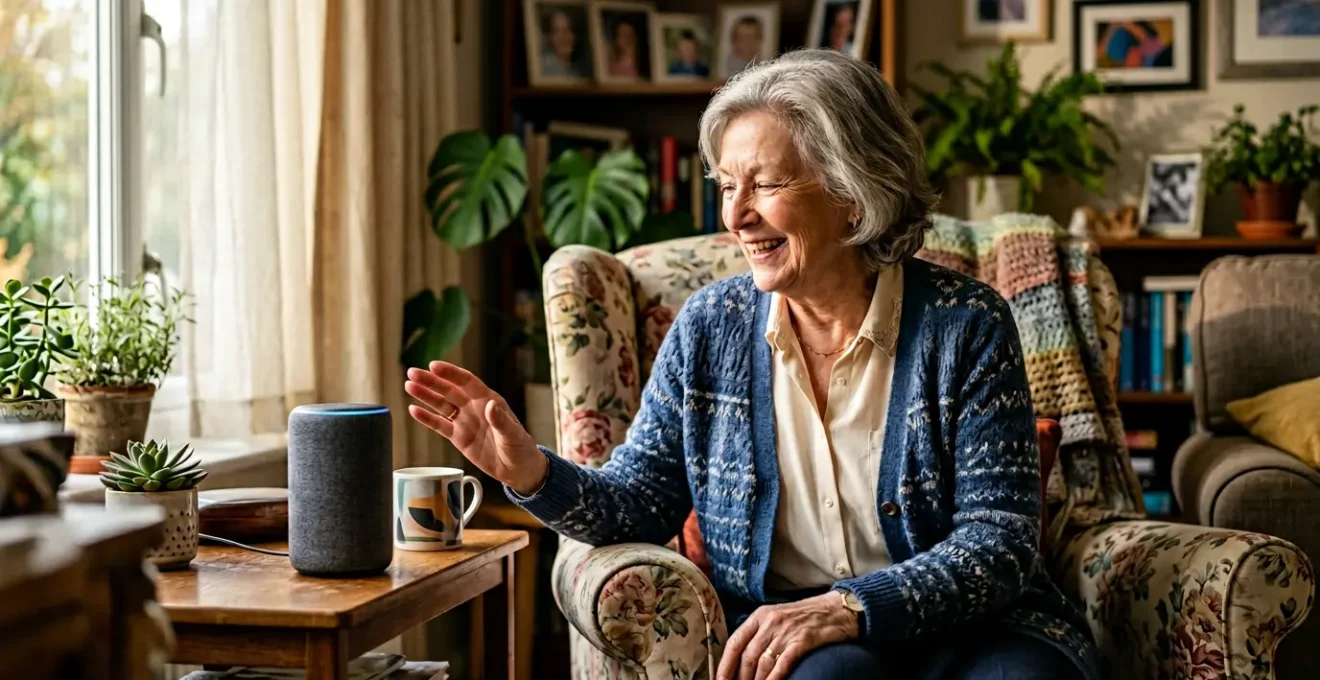
A truly ‘smart’ home for seniors reduces the need for residential care by shifting from reactive alarms to a proactive, data-driven wellness system that anticipates needs before they become crises.
- Passive ambient sensors offer a richer, more accurate picture of a senior’s wellbeing than traditional fall pendants alone.
- Proper implementation, co-designed with the senior, is more critical than the technology itself to ensure adoption and trust.
Recommendation: Start with simple, convenient smart devices while a senior is still active and independent to build comfort, then layer in safety and monitoring features as needs evolve.
The conversation around technology for seniors often begins and ends with a single, familiar image: the emergency pendant. While a crucial tool, this narrow focus overlooks a profound shift in how technology can support independent living. The question is no longer just « How can we react to an emergency? » but « How can we create an environment that prevents emergencies from happening in the first place? » It’s the difference between a smoke alarm and a fire prevention system.
Many families explore smart speakers like Alexa or consider fall detection watches, but they often approach it as a piecemeal solution—a collection of gadgets rather than a cohesive ecosystem. This can lead to frustration, with complex setups and intrusive alerts that make seniors feel monitored rather than supported. The true power of a smart home lies not in its individual components, but in their integration, creating an intelligent, discreet safety net that learns patterns and provides insights.
This article will demonstrate that the 30% reduction in care home admissions isn’t magic; it’s the result of a strategic approach. We will move beyond the basics to explore how a well-designed system of ambient sensors, voice controls, and automated routines can create a proactive wellness partner. We’ll cover how to configure these tools correctly, compare costs against traditional telecare, avoid the common mistakes that scare users away, and outline a phased strategy for introducing this technology for maximum benefit and acceptance.
To help you navigate these crucial topics, this guide is structured to build your understanding from broad concepts to specific, actionable advice. Explore the sections below to learn how to build a truly intelligent and supportive home environment.
Summary: How an Integrated Smart Home Creates a Safer Future
- What Can Smart Home Technology Do for Seniors Beyond Fall Alarms and Pendant Buttons?
- How to Configure Alexa or Google Home to Call for Help, Control Lights, and Set Medication Reminders?
- Telecare Package vs Amazon Smart Home: Which Gives Better Safety for £50 a Month?
- The Smart Home Setup Mistake That Makes Seniors Afraid to Touch Anything
- At What Stage of Aging Should You Introduce Smart Home Technology for Maximum Benefit?
- Pendant vs Wristband vs Apple Watch: Which Fall Detector Do Seniors Actually Wear Consistently?
- How to Programme an Automatic Pill Dispenser to Prevent Both Missed and Double Doses?
- Why Does 40% of Fall Detection Technology Fail When Seniors Actually Fall?
What Can Smart Home Technology Do for Seniors Beyond Fall Alarms and Pendant Buttons?
The real value of a modern smart home lies in its ability to move from reactive emergency alerts to proactive wellness monitoring. Instead of just waiting for a fall, an integrated system uses passive, ambient sensors to create a holistic picture of a person’s daily life. This concept, known as « ambient intelligence, » works quietly in the background to detect subtle changes in behaviour that may signal an emerging health issue long before it becomes a crisis.
Imagine a network of discreet sensors: motion detectors in hallways, contact sensors on the refrigerator and medicine cabinet, and pressure sensors under a mattress. Individually, they provide simple data. Together, they build a powerful narrative. A system can learn that your mother typically wakes up at 8:00 AM, visits the kitchen twice before noon, and rests in the afternoon. If that pattern suddenly changes—she’s still in bed at 10:30 AM, hasn’t opened the fridge, and is visiting the bathroom far more frequently—the system can send a non-urgent alert to a family member. This isn’t an alarm; it’s a data-driven prompt to check in, potentially identifying a urinary tract infection or dehydration days before it would require a hospital visit.
This shift from a single point of failure (a pendant that isn’t worn) to a web of information provides a much more robust and dignifying form of support. It respects autonomy by not requiring active participation while delivering priceless peace of mind.
Case Study: Detecting Health Changes with Ambient Sensors
A real-world example from AARP Innovation Labs demonstrates how ambient sensors create a holistic health picture: when motion sensors, refrigerator door contacts, and bed sensors work together, caregivers receive alerts about concerning pattern changes—such as a senior getting out of bed at 10:30 instead of their usual 8:00 am, visiting the bathroom six times instead of three, not opening the refrigerator, and sitting on the couch for seven hours. This data reveals a potential health issue before it becomes an emergency.
How to Configure Alexa or Google Home to Call for Help, Control Lights, and Set Medication Reminders?
Voice assistants like Amazon’s Alexa and Google Home are the friendly interface of the smart home, turning complex actions into simple spoken commands. Setting them up correctly is crucial to unlocking their potential as a safety and convenience tool for seniors. It’s important to clarify one key point first: by default, these devices cannot call emergency services like 999 in the UK. Instead, they are configured to contact a designated family member or friend, creating a vital first line of response.
Setting up an emergency contact is a primary task. Within the Alexa app, you can designate a specific contact to be called and texted when the user says, « Alexa, call for help. » This transforms the device into a room-wide, hands-free panic button. Beyond emergencies, voice control excels at reducing daily frictions. For a senior with arthritis or mobility issues, the ability to say « Alexa, turn on the bedroom light » eliminates a potential trip hazard in the dark. These functions are managed through « Routines, » which bundle multiple actions under one command. A « bedtime » routine could lock the smart door, turn off all lights, and adjust the thermostat with a single phrase.
Medication reminders are another powerful feature. You can set simple, recurring reminders (« Alexa, remind me to take my heart medication every day at 9 AM ») that announce themselves clearly. This helps manage complex schedules and prevent missed doses, a common challenge for independent seniors.
The key is to start simple. Introduce one or two high-value commands, practice them together, and gradually build confidence. A well-configured voice assistant becomes an empowering tool, not an intimidating piece of technology.
Telecare Package vs Amazon Smart Home: Which Gives Better Safety for £50 a Month?
For decades, traditional telecare has been the default safety solution, typically involving a pendant button linked to a 24/7 monitoring centre for a monthly fee. Today, a do-it-yourself (DIY) smart home system built with consumer devices from Amazon or Google presents a flexible and often more affordable alternative. Deciding between them requires looking beyond the headline price to the total cost of ownership and the type of response you value most.
Traditional telecare offers a straightforward proposition: professional installation and a connection to a trained, but impersonal, call centre. In contrast, a DIY smart home has a higher upfront cost for devices but a much lower, or even zero, monthly subscription fee. The « response team » is your own network—family, friends, or trusted neighbours. This offers a more personal response with crucial context (they know the person’s medical history), but their availability isn’t guaranteed 24/7. However, with services like Alexa Emergency Assist now available for a small monthly fee, the gap is closing, offering an option for professional monitoring.
Ultimately, a DIY system offers far greater flexibility. It can be expanded and customised with new devices and routines as needs change, integrating everything from lighting to medication reminders. Traditional telecare is often a closed, proprietary system. While the initial technical setup of a DIY system requires more effort, the long-term cost savings and adaptability make it a compelling choice. Furthermore, home monitoring is considerably more affordable when compared to the cost of a care home, day care or live-in care, according to elderly care technology specialists.
| Cost Factor | Traditional Telecare | DIY Smart Home (Amazon/Google) |
|---|---|---|
| Initial Setup Fee | £50-£150 installation | £200-£400 (devices: Echo, sensors, smart plugs) |
| Monthly Subscription | £15-£50/month (24/7 monitoring center) | £0-£10/month (optional services like Alexa Emergency Assist at £4.99/mo) |
| Year 1 Total Cost | £230-£750 | £200-£520 |
| 3-Year Total Cost | £590-£1,950 | £200-£760 |
| Response Team | Professional call center (24/7, trained but impersonal) | Family members/neighbors (personal context, variable availability) |
| Flexibility | Low (proprietary equipment, limited customization) | High (expandable, customizable routines and alerts) |
| Technical Setup | Simple plug-and-play, professional installation | Requires initial configuration, family tech support needed |
The Smart Home Setup Mistake That Makes Seniors Afraid to Touch Anything
The single greatest barrier to smart home adoption by seniors is not the technology itself, but the fear of breaking it or losing control. This anxiety is often caused by a well-intentioned but misguided setup decision: removing familiar, manual controls. When a smart bulb is installed and the old light switch suddenly does nothing, it creates a sense of powerlessness. The user is now completely dependent on a voice command or a smartphone app, which can be forgotten or feel unreliable, especially in a moment of stress.
This « digital-only trap » is the cardinal sin of smart home integration for seniors. The golden rule is that technology must always supplement, never replace. The physical light switch must always work. A smart thermostat should be controllable by voice, but the dial on the wall must remain functional. This creates a redundant, reliable system where the smart features are a convenient layer on top of a familiar foundation, not a fragile replacement for it. Without this physical backup, a simple Wi-Fi outage or a forgotten command can leave a senior literally in the dark, destroying trust in the entire system.
This philosophy of co-existence extends to the implementation process. As the AgeTech Collaborative Research Team noted in their « Smart Home Technology for Older Adults » study, success hinges on addressing user concerns head-on.
Stigma, privacy, ease of use, and cost are significant concerns of older adults when considering smart home technology.
– AgeTech Collaborative Research Team, Smart Home Technology for Older Adults – Focus Group Research Study
Avoiding these pitfalls requires a thoughtful, user-centric approach that prioritises comfort and confidence above all else. This checklist outlines the key mistakes to avoid.
Your Action Plan: Avoiding Critical Smart Home Setup Errors
- The Digital-Only Trap: Never remove physical manual controls. A smart bulb should supplement, not replace, an existing light switch. The physical switch must always work as a reliable backup to prevent anxiety.
- Skipping the Onboarding Process: Co-design the system WITH the senior. Conduct step-by-step hands-on training, practice key voice commands together, and create a large-print ‘cheat sheet’ of essential phrases to place near the smart speaker.
- Installing Without Privacy Discussion: Avoid the perception of surveillance by having transparent conversations before installation. Co-create ‘privacy zones’ and schedules (e.g., ‘hallway camera only active 10pm-6am’) to build trust and respect autonomy.
- Notification Overload: Don’t set up excessive chimes and alerts. Design a ‘silent but smart’ system that works in the background and only alerts when genuine anomalies are detected, preventing confusion and anxiety.
At What Stage of Aging Should You Introduce Smart Home Technology for Maximum Benefit?
Introducing smart home technology is not a one-time event, but a gradual process that should align with the evolving needs of an individual. The key to successful adoption is to start early, when the stakes are low, and introduce technology for convenience, not crisis. By building familiarity and comfort with smart devices before they are medically necessary, you transform them from intimidating « safety equipment » into helpful daily tools. This proactive approach is gaining traction, as AARP research indicates that 44% of older adults plan to add smart home technology to help ensure their home will meet their future needs.
A phased strategy is the most effective way to manage this journey. It allows the user to build confidence at their own pace and ensures that each new piece of technology solves a specific, relevant problem.
- Phase 1 – The Convenience Stage (Active & Independent): This is the ideal starting point. Introduce devices that make life easier and more enjoyable. Smart speakers for playing music, listening to the news, and making video calls are perfect. Smart plugs can control hard-to-reach lamps. The goal here is purely to build comfort with voice commands and smart home concepts in a stress-free context.
- Phase 2 – The Proactive Safety Stage (Mild Physical/Cognitive Changes): As specific needs begin to emerge, layer in safety-focused devices. If nighttime trips to the bathroom become more frequent, install motion-activated nightlights in the hallway. A video doorbell enhances security for someone living alone. Automated medication reminders become more critical. The goal is to discreetly mitigate new risks as they appear.
- Phase 3 – The Intensive Monitoring Stage (Significant Support Needed): When a higher level of care is required, deploy the more advanced passive ambient sensors. Bed sensors can track sleep quality and restlessness, motion sensors can monitor activity levels (or lack thereof), and smart pill dispensers can alert caregivers if a dose is missed. The goal is to provide rich, behavioural data to the care team for informed and timely interventions.
Pendant vs Wristband vs Apple Watch: Which Fall Detector Do Seniors Actually Wear Consistently?
The effectiveness of any fall detector is zero if it’s sitting on the bedside table. The debate over which device is « best » often focuses on algorithm accuracy, but the most critical factor is user compliance and wearability. Stigma, comfort, and battery life are the real-world variables that determine whether a senior will actually wear the device 24/7. A device that is seen as a symbol of frailty or is cumbersome to manage will inevitably be rejected, regardless of its technical prowess.
Traditional pendants, while lightweight, carry a high level of stigma. They are visibly « elderly » devices and are often removed for aesthetic reasons or simply forgotten after charging. At the other end of the spectrum, an Apple Watch offers a stylish, mainstream design with a host of useful features beyond fall detection, making it highly desirable. However, its primary drawback is the need for daily charging, which creates a significant window of non-coverage every single day, often overnight—a high-risk time for falls.
Modern wristbands strike a balance between these two extremes. They are more discreet than pendants, reducing stigma, and typically offer a battery life of several days to a week, minimising the « off-wrist » time compared to a smartwatch. The choice ultimately depends on the individual’s personality, lifestyle, and tolerance for device management. For many, a device that provides daily value (like telling the time or tracking steps) is more likely to be worn than one that serves only a single, emergency purpose.
| Factor | Traditional Pendant | Modern Wristband | Apple Watch / Smartwatch |
|---|---|---|---|
| Stigma Level | High – visible symbol of frailty, often rejected | Medium – discreet but purpose-specific | Low – stylish, mainstream device with multiple functions |
| Battery Life | Weekly to monthly charging (set and forget) | Weekly charging required | Daily charging necessary |
| Comfort & Wearability | Lightweight but can catch on objects | Comfortable silicone bands, lightweight | Heavier, larger face, potential discomfort during sleep |
| Waterproof Rating | Usually waterproof for shower/bath | Usually water-resistant to waterproof | Water-resistant (swim-capable on newer models) |
| Additional Features | Emergency button only | Emergency button, basic activity tracking | Time, messages, health tracking, calls – provides value beyond emergency |
| 24/7 Wear Compliance | Medium (removed for charging, aesthetics) | Medium-High (removed for charging) | Low (removed for daily charging, discomfort) |
How to Programme an Automatic Pill Dispenser to Prevent Both Missed and Double Doses?
Medication non-adherence is a leading cause of hospitalisation among seniors. An automatic pill dispenser is one of the most impactful pieces of smart technology for aging in place, but its effectiveness depends entirely on correct programming. A properly configured device can prevent both missed doses and, critically, dangerous double doses, which is a common risk for individuals with cognitive impairment. The goal is to create a foolproof system that provides medication at the right time and alerts a caregiver if something goes wrong.
The most crucial first step is choosing the right type of device. For a user with memory issues or dementia, a lockout dispenser is non-negotiable. These devices physically lock away all future doses, making it impossible for a confused individual to take medication ahead of schedule or take the same dose twice. Once the device is chosen, the programming involves setting up a precise schedule for each dose. More advanced systems can even handle complex regimens, such as tapered dosages or ‘every other day’ schedules.
However, the « smart » element that truly transforms these devices is the caregiver alert loop. The system must be programmed to send a notification—via text or app—to a family member if a dose is not taken within a specified time window (e.g., 30 minutes). This turns the dispenser from a passive reminder into an active monitoring tool. Conversely, setting up confirmation alerts for when doses are taken successfully provides real-time peace of mind. This closed-loop system of dispensing and reporting is a powerful tool for reducing hospital readmissions by 40%, as it enables early intervention.
Key Takeaways
- A true smart home for seniors is a proactive wellness system, not just a collection of reactive alarm gadgets.
- Success hinges on co-designing the system with the senior user, preserving manual controls, and respecting privacy to build trust.
- The most effective approach is a phased introduction of technology, starting with convenience and layering in safety features as needs evolve.
Why Does 40% of Fall Detection Technology Fail When Seniors Actually Fall?
The shocking statistic that a significant portion of fall detection technology fails in a real-world event is not an indictment of a single brand or device. It reveals a fundamental flaw in relying on a single-gadget solution. Falls remain a leading cause of injury among the elderly, so understanding these failure points is critical. The failures stem from a combination of technological limitations and, more importantly, human factors.
First, the algorithms in wearable devices are tuned to detect specific types of falls. They excel at identifying sudden, hard impacts, like a collapse in the middle of a room. However, they frequently miss the most common types of falls among seniors: slow, sliding falls from a chair or bed, or a gradual slump against a wall. The device simply doesn’t register enough G-force to trigger an alert. Second, the single biggest cause of failure is human behaviour. The most advanced fall detector is useless if it’s on a charger in the bedroom while the person falls in the shower. Non-compliance is the Achilles’ heel of any wearable-only strategy.
The only robust solution is to build a multi-layered safety net that doesn’t rely on a single point of data. As the Miami Jewish Health Technology Team highlights, this is where passive monitoring becomes essential.
Smart sensors can now detect falls through motion tracking and automatically alert emergency contacts or monitoring services.
– Miami Jewish Health Technology Team, Using Technology for Aging in Place – Safety Technology Guide
This hybrid approach—combining a wearable device for when the person is out and about, with ambient, no-effort sensors (like radar-based systems) in high-risk areas like the bathroom—creates a system that is far more resilient. It accounts for both algorithmic blind spots and human nature, providing protection even when a wearable device isn’t worn. This systemic view is the essence of a truly smart and safe home.
By building an integrated, multi-layered system that is introduced thoughtfully, you can leverage technology to genuinely support independence, provide peace of mind, and create a safer environment that can significantly delay or prevent the need for residential care.